 Wasla
Talk directly.
No one in between.
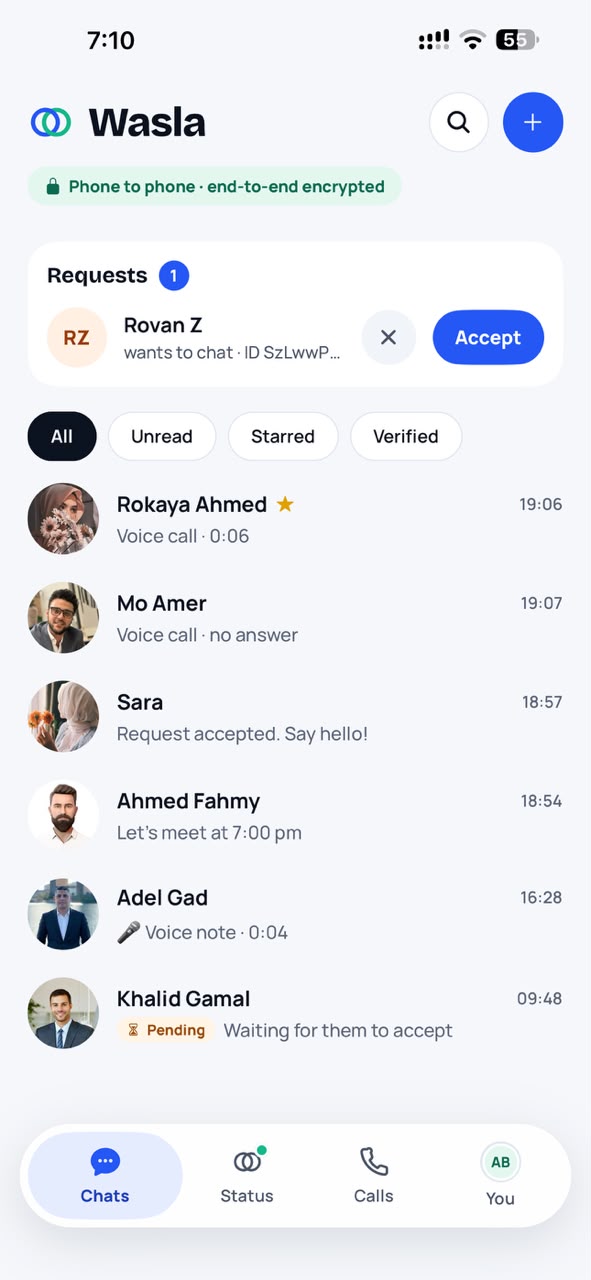
Wasla is a messenger built so that nobody but you and the people you're talking to can read your messages, see your photos or hear your calls. Not hackers, not advertisers, not us.
- No phone number
- End-to-end encrypted
- Phone to phone
- No ads, no trackers
- English & العربية
Standard, published cryptography (Ed25519, X25519, XSalsa20-Poly1305). No accounts, no passwords, and nothing of yours stored on a server. See how it works.
Privacy isn't a setting. It's how Wasla is made.
No phone number needed
You get a private Wasla ID made on your phone. You never have to share your number, and Wasla never uploads your address book.
Phone to phone
Messages travel directly between your phones whenever you're both online. Wasla's server only helps your phones find each other, and stores nothing of what you say.
Nobody can read it
Every message, photo, voice note, group, status and call is locked on your phone and only unlocked on theirs. Not even Wasla has the key.
Groups, a real photo editor, and a quieter kind of privacy
The latest update brings the features people asked for most, built the Wasla way: nothing new on the server, everything new on your phone.
Groups, with no group on any server
Up to 32 people. Who's in a group is a chain of signed changes every phone checks for itself, and every message is signed by its author, so nobody can be added without saying yes and nobody can put words in anyone's mouth. Reactions, replies, edits, delete for everyone, locations, photos, voice notes and documents all work in groups.
A photo editor worth using
Crop with real handles, turn and flip, draw, add text and emoji, and blur a face, a number plate or a card number before it goes: what's under the blur is really gone, not just softened. HD sending and save to your photos too. All of it on your phone.
Choose who sees your status
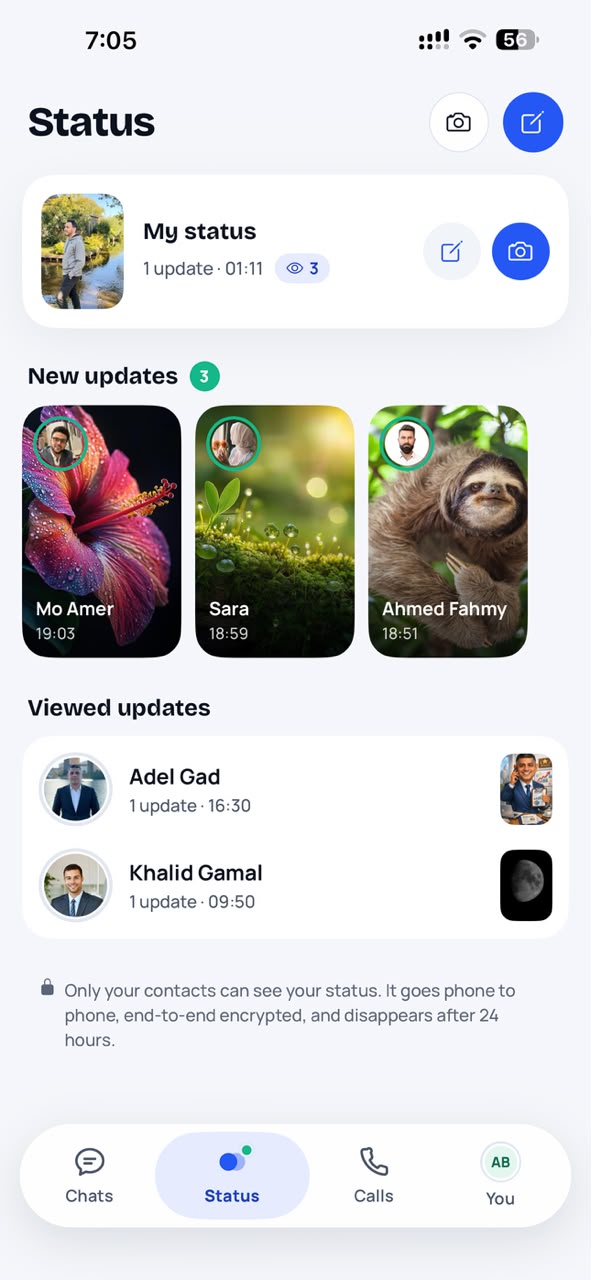
All your contacts, everyone except a few, or only the people you pick. Your phone simply never sends the status to anyone else, and nobody is told they were left out.
My notes grew up
To-do lists you tick off in the note, ready-made templates, pinned notes at the top, and reminders on any message that open it at the right time. Everything stays on your phone.
Azkar & prayer times
Morning and evening azkar, duas, and the day's prayer times computed on your phone from a location that never leaves it, with a Qibla compass and the Hijri date. Tap to count, pick the card's colours; adhan alerts and azkar reminders are optional, and the whole section can be hidden.
Tap to ask for a waiting photo
A photo still on your friend's sleeping phone? Tap it: Wasla wakes their phone and fetches it directly. If a direct connection can't be made, Wasla tells you why in plain words.
Everything you expect from a messenger
Without giving up your privacy for any of it.
Chat and calls
Messages, replies & reactions
Reply to a message, react with an emoji, edit what you sent (within 15 minutes), or delete it for everyone (within 48 hours). Links open with a tap, and Wasla never fetches link previews, so no website learns you got its link.
Photos, voice notes & documents
Send up to 10 photos at once, edit them first, and send documents of any kind. Voice notes show the real shape of the voice, play at 1.5× or 2×, and can be turned into text on your phone only, with a model for Arabic dialects if you want one.
Calls & screen sharing
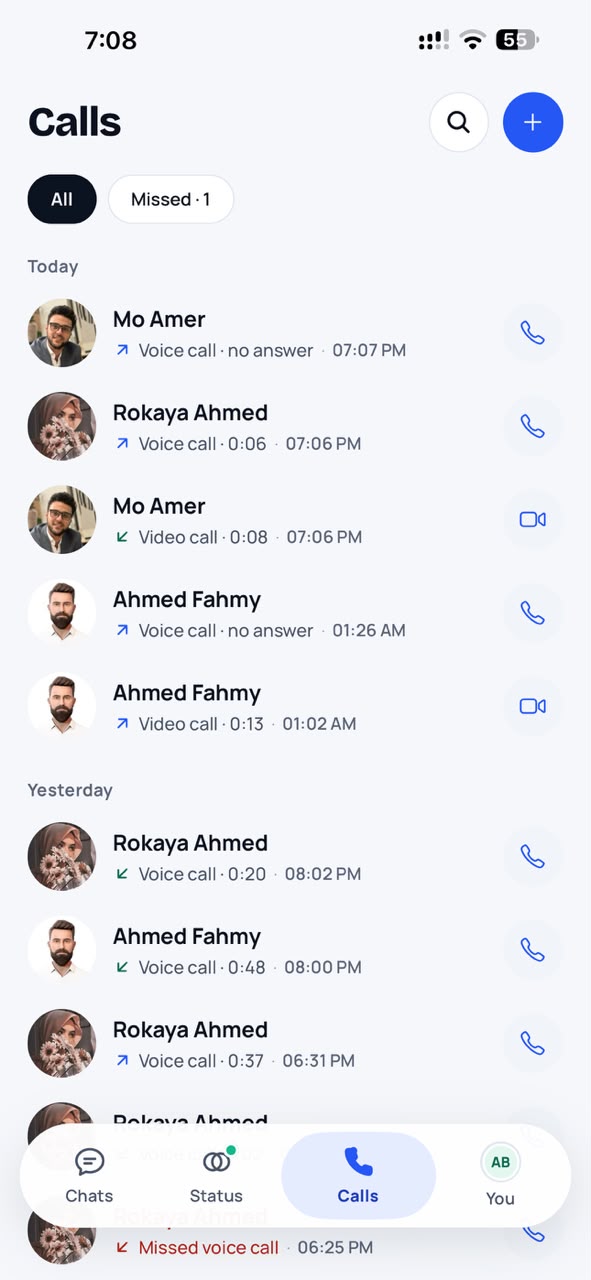
Encrypted voice and video calls that reconnect when your network changes. Share your screen, keep the call in a floating window while you use other apps, handle a second caller, and pick which headset, hearing aid or car the call plays on.
Groups
Chat with up to 32 people. Members who aren't your contacts are shown with a "~" so nobody can pass for someone you know, and you can leave at any time.
Status
Share a photo or a few words for 24 hours with the contacts you choose. See who watched, unless you turn read receipts off.
Disappearing messages
Choose to have messages in a chat or a group vanish after 30 seconds, 5 minutes, an hour, a day or a week.
Share a location
Send where you are or pick a place, end-to-end encrypted like any message. No map is loaded in the chat: it opens in your maps app only when you tap it.
Chat wallpapers
Patterns, colours, gradients or your own photo, for every chat or just one. Your wallpaper stays on your phone.
You decide who, and what they see
Add people your way
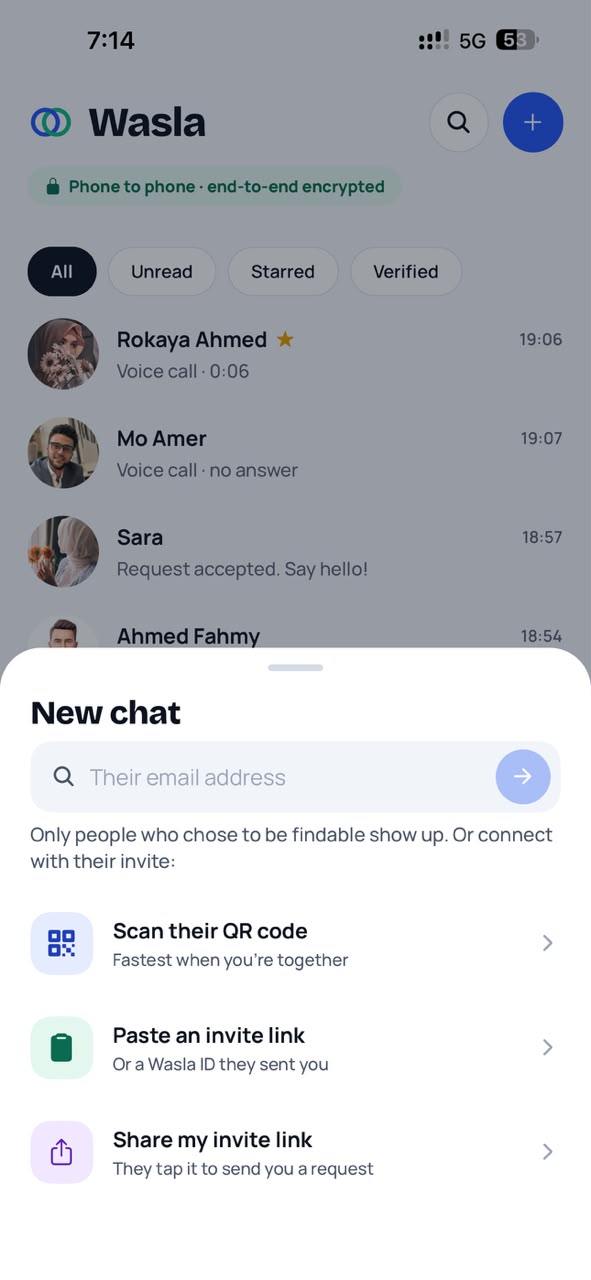
Share an invite link, show your QR code, or let friends find you by email if you choose. Every new contact needs your approval first.
You control what others see
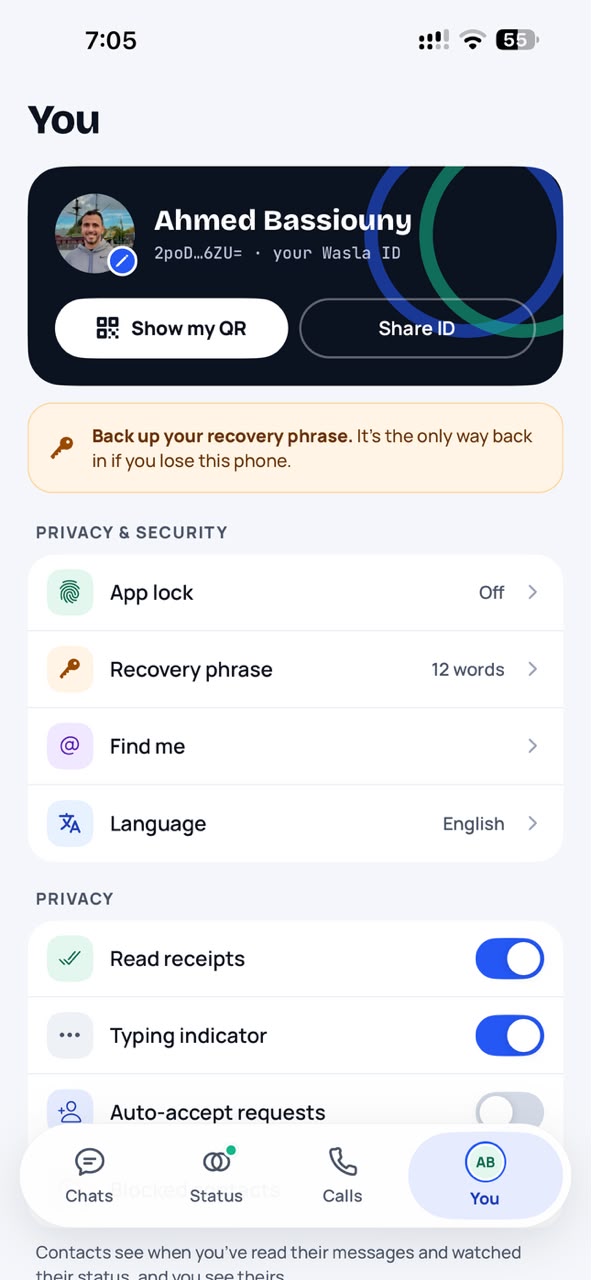
Turn read receipts and typing indicators off, hide message text from notifications, choose who sees your status, and block anyone.
App lock
Lock Wasla with Face ID or your fingerprint. Chats are also hidden in the app switcher.
Check it's really them
Compare a safety number in person to be certain nobody is secretly in the middle of your conversation.
Yours to keep, in your language
Encrypted backups
Back up to your own iCloud or Google Drive: chats, groups, settings, reminders and your call log. Backups are locked with your recovery phrase, so Apple and Google can't read them.
Move to a new phone
Transfer your chats straight from your old phone to your new one, nearby and encrypted, or restore your account with your 12 words.
My notes
A chat with yourself for notes, links, photos, to-do lists and reminders. It stays on your phone and is never sent anywhere.
Azkar & prayer times
Azkar to count through, the day's prayer times, the Qibla and the Hijri date, all computed on your phone. Optional: show or hide it in one tap.
English & Arabic
Use Wasla in English or العربية, with a full right-to-left layout.
Simple to use. Private by default.
Up and running in a minute
Create your ID
Pick a name. Your phone creates your private keys and shows you 12 words: your recovery phrase. Write them down. They're the only way back into your account.
Connect
Send your invite link or show your QR code. Your friend sends a request, and you accept it. Nobody can message you until you do.
Talk privately
Chat, send photos and voice notes, start a group, and call. Everything is encrypted on your phone before it leaves.
Want the diagrams? How Wasla works, step by step.
Curious how the security works?
We explain it in plain words, with no jargon, plus the technical details for anyone who wants them.